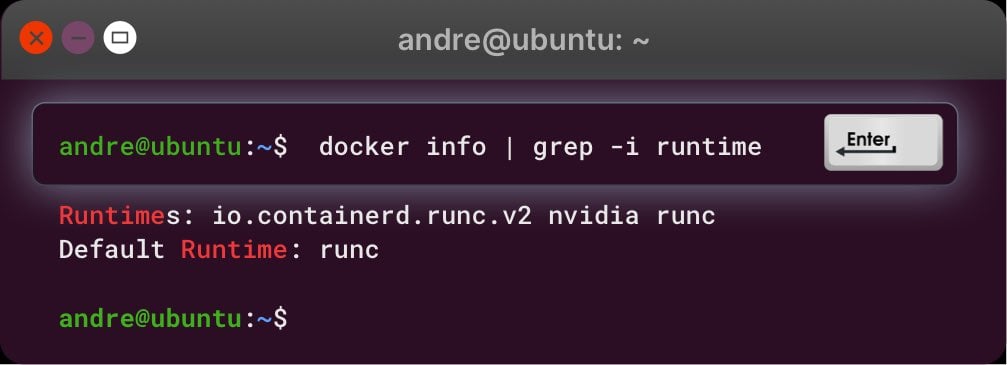
- Nvidia-container-toolkit. Ensure the Nvidia-container-toolkit is installed and properly configured.
- Docker Daemon. Check if Docker Daemon is running.
- GPU Configuration. Docker needs to be configured with the Nvidia runtime to use the GPU inside a container. This can be fixed by installing and configuring the Nvidia-container-toolkit.
Debugging:
-
Test GPU with Docker: Run the following command to check if Docker can access the GPU:
If nvidia-smi output is visible, Docker can use the GPU inside the container. If not, try restarting Docker Daemon:Else there might be some error similar to the following:
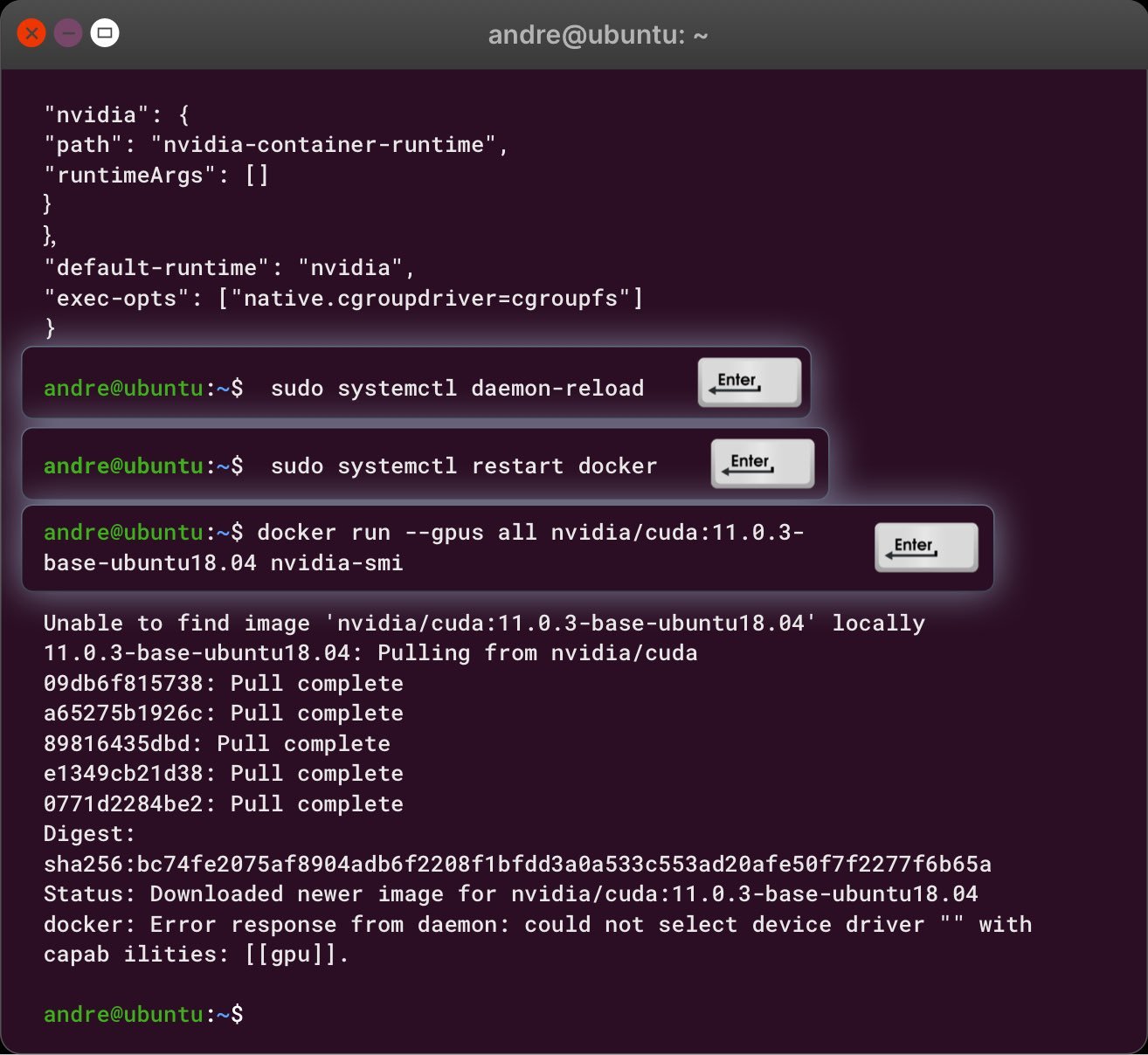
- Error Debugging: If errors related to nvidia-container-toolkit are shown, it may not be installed or configured correctly.
Commands to Check Nvidia-container-toolkit Installation:
-
Check if Nvidia-container-toolkit is installed:
- If it’s installed but not configured properly, follow one of the two methods below:
Method 1: Configure daemon.json:
-
Open the daemon.json file:
-
Paste the following:
-
Save and exit, then reboot the server:
-
After reboot, restart Docker:
Method 2: Configure Nvidia-ctk Directly:
Run the following commands:If Nvidia-container-toolkit is Not Installed:
-
Install Nvidia-container-toolkit:
-
Enable experimental features:
-
Update and install the toolkit:
Verify Nvidia-container-toolkit:
-
Check if the toolkit is in the $PATH:
-
Verify the runtime is configured:
Sample output: