

What are Nvidia Drivers?
NVIDIA drivers are software packages that allow your computer’s operating system to communicate effectively with NVIDIA graphics cards. These drivers ensure that your GPU can perform optimally, providing support for various features such as graphical rendering, video playback, and gaming performance. Keeping your NVIDIA drivers up to date is important for maintaining system stability, compatibility with new software, and obtaining the best performance from your graphics card.1. Open Windows Terminal From the Start Menu
Click the Start Menu icon in the popup Menu, type Terminal in the search field, then click Terminal.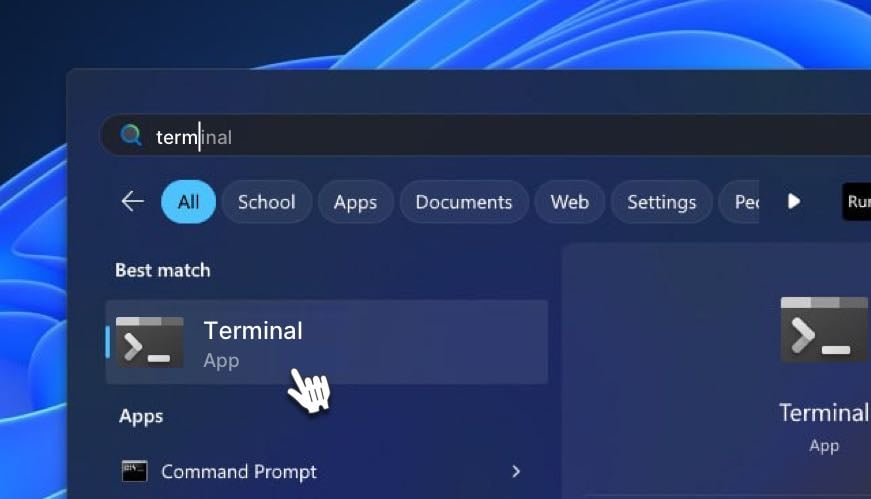
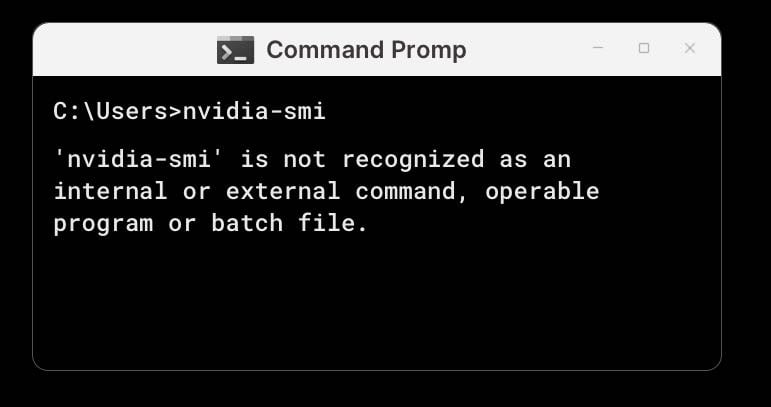
2. Verify That the Correct Drivers Are Installed
3. Go to Nvidia Driver Download Page
Choose your GPU’s name, then click on search.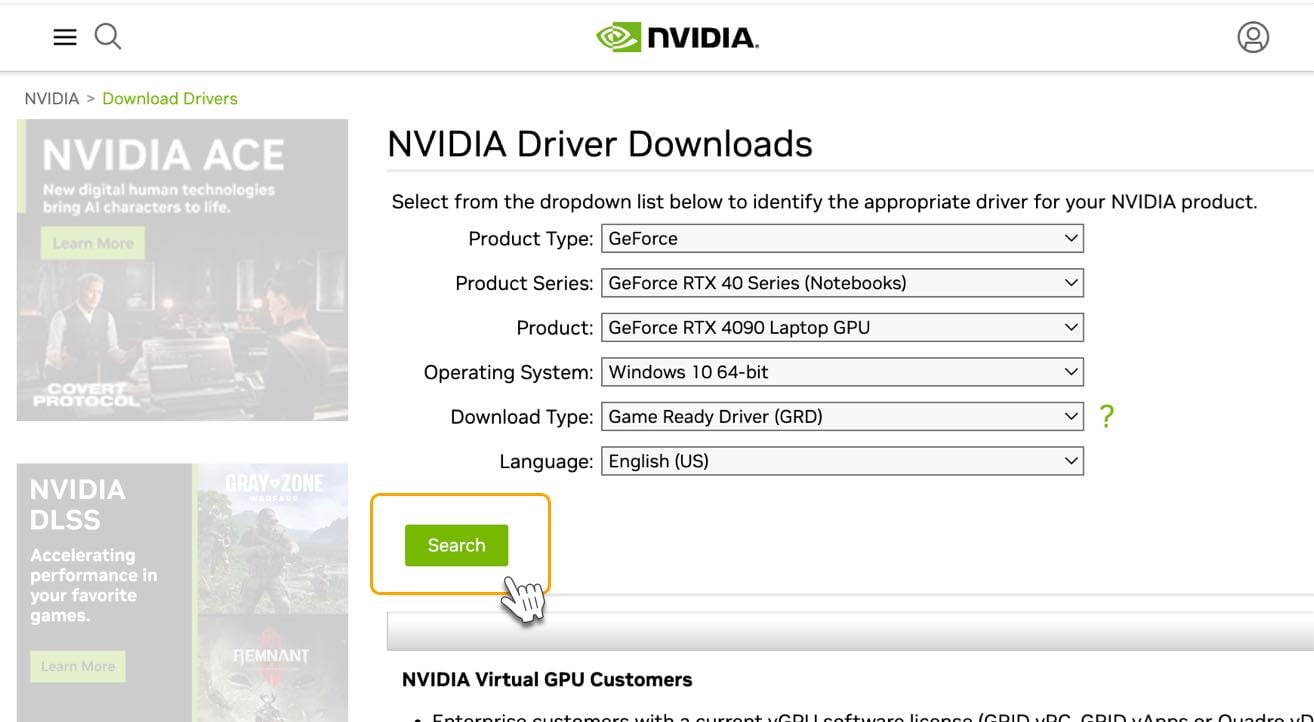
4. Download the Driver Installation File
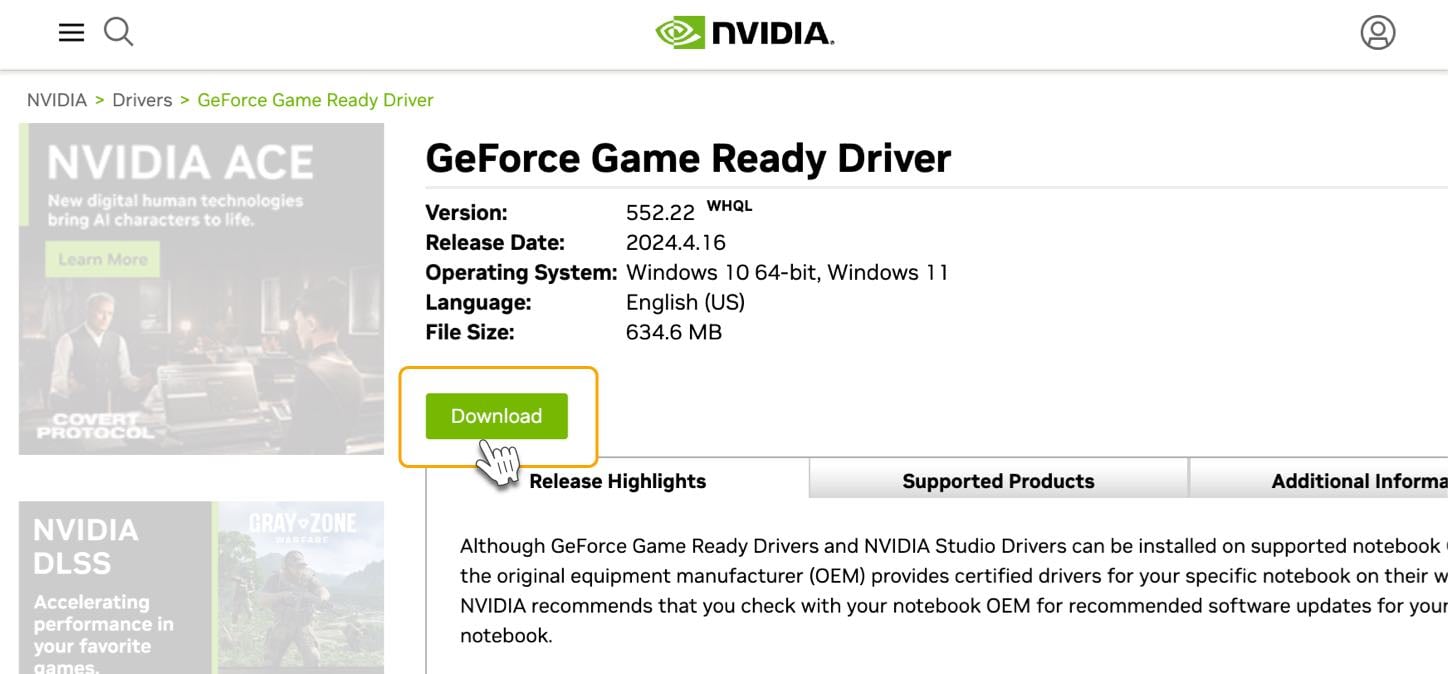
Click the Download button for the NVIDIA driver that matches your GPU and Windows version.Driver Version 552.44 is currently the most stable & tested driver.
5. Open the .Exe File and Proceed With the Installation Process
Once the download is complete, start the installation, select the first option and click on “Agree and Continue.”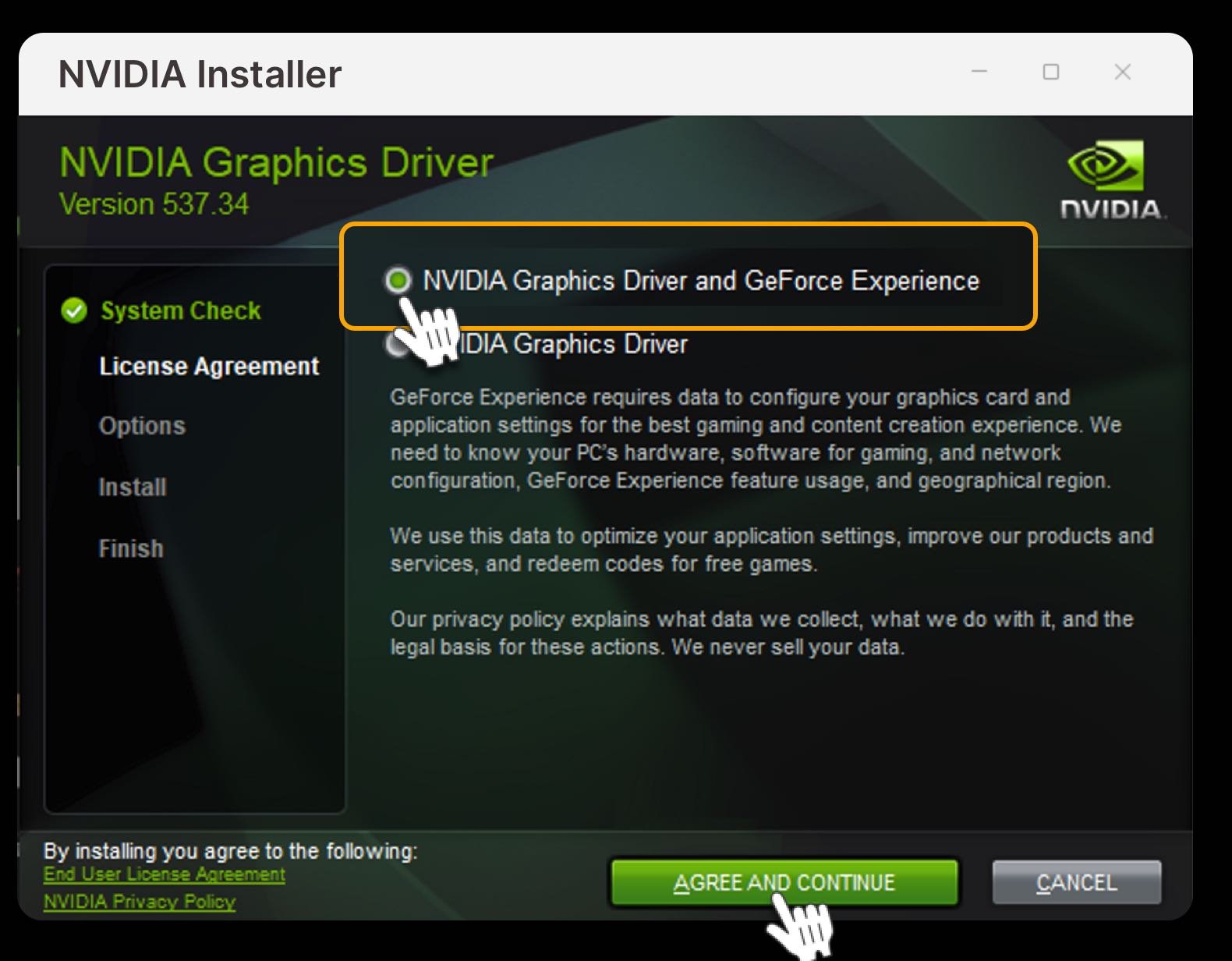
6. Reboot your computer
After the installation is complete, it’s essential to reboot your computer. Restart your machine to ensure that the new NVIDIA driver is fully integrated into your system.7. Verify the Installation Process
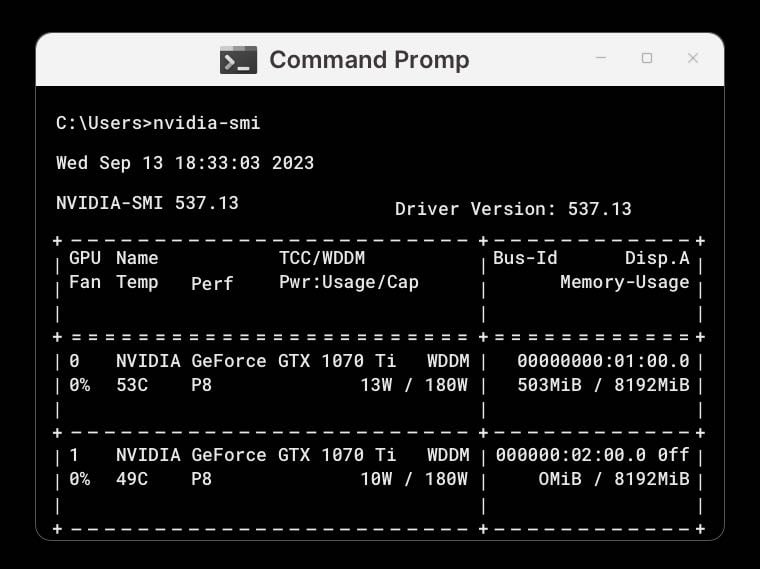
That’s It. You Have the Nvidia Drivers Installed and Ready.
Now that CUDA Toolkit has been successfully installed and is running, you can proceed with setting up the Worker.Feel free to check our knowledge base for answers, and if you still need help, don’t hesitate to open a support ticket!