> ## Documentation Index
> Fetch the complete documentation index at: https://ionet-cca8037f-confidential-compute.mintlify.site/llms.txt
> Use this file to discover all available pages before exploring further.
# Chat
> One Chat. Every Tool — Powered by IO Cloud
**Unified Chat** enables your AI to **read**, **watch**, **listen**, and **create** across multiple content types in real time. After you upload files or connect data sources, the system extracts key information, integrates it with contextual knowledge, and generates **accurate**, **well-supported responses** to your queries. It can also **generate** images and videos, and perform live web searches to enhance the quality and relevance of its answers.
Unlike a standard chatbot, **Unified Chat** is built on **Retrieval-Augmented Generation (RAG)**. This approach connects answers directly to your own data, ensuring responses are **relevant, verifiable, and transparent**.
## How it works
**Unified Chat** uses **Retrieval-Augmented Generation (RAG)** — a method that pairs a language model with a retrieval system. Instead of relying only on pre-trained knowledge, the model retrieves and incorporates **the most relevant information** from your files and connected sources in real time.
This design is particularly useful in **enterprise, research, and developer workflows**, where **accuracy, explainability, and traceability** are essential.
Unified Chat replaces the previous **Retrieval Engine**. All existing features are preserved, with additional capabilities such as **multimedia support** and improved contextual understanding.
## Getting Started
To begin using **Unified Chat**:
1. Go to your **io.net Dashboard**.
2. Navigate to [**Chat**](https://ai.io.net/ai/re) within **IO Intelligence**.
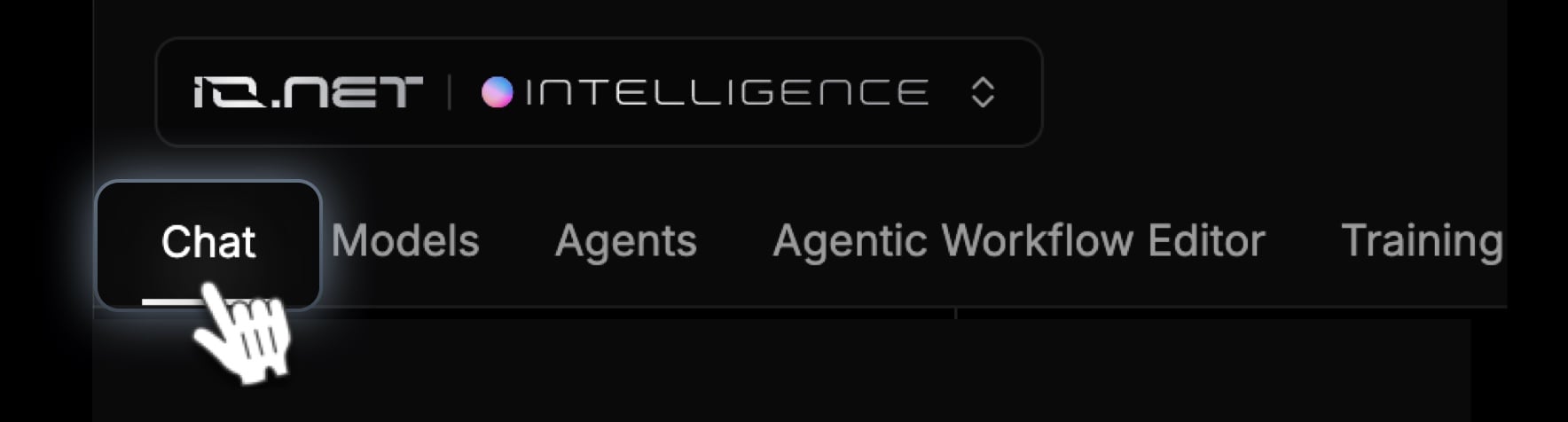 3. Upload your content and start chatting.
## Key Features
1. **Upload & Manage Files**
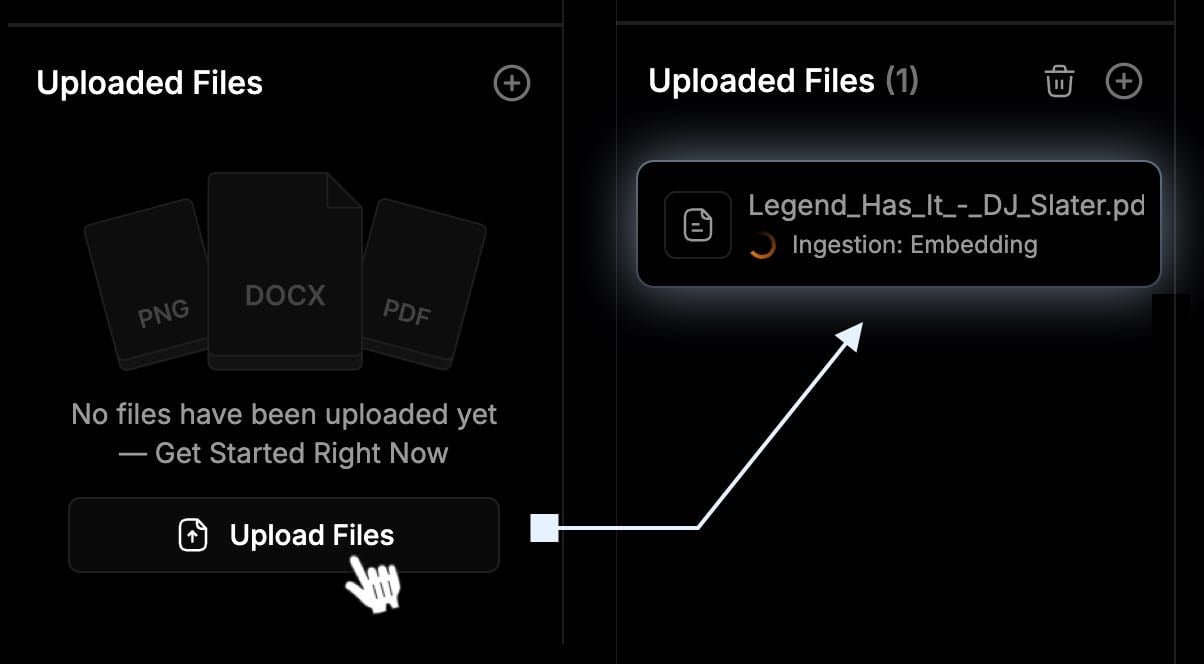
* Click **Upload Files** or drag and drop files into the left-hand panel.
* Supported formats include **.pdf, .docx, .png, .jpg, .mp4, .html**, and more.
* Maximum file size per upload: **100MB**.
3. Upload your content and start chatting.
## Key Features
1. **Upload & Manage Files**
* Click **Upload Files** or drag and drop files into the left-hand panel.
* Supported formats include **.pdf, .docx, .png, .jpg, .mp4, .html**, and more.
* Maximum file size per upload: **100MB**.
 **Best practices:**
* Use clear, descriptive file names and structured content for better results.
* Avoid scanned or low-quality documents whenever possible.
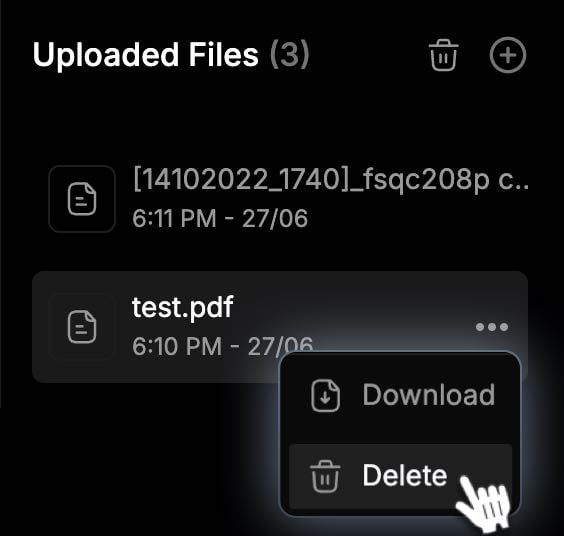
**To delete a file:**
1. Hover over the file name.
2. Click the **three-dot menu (⋮)**.
3. Select **Delete**.
**Best practices:**
* Use clear, descriptive file names and structured content for better results.
* Avoid scanned or low-quality documents whenever possible.
**To delete a file:**
1. Hover over the file name.
2. Click the **three-dot menu (⋮)**.
3. Select **Delete**.
 2. **Chat with Unified Chat**
* Type your question or command in the chat box at the bottom of the page.
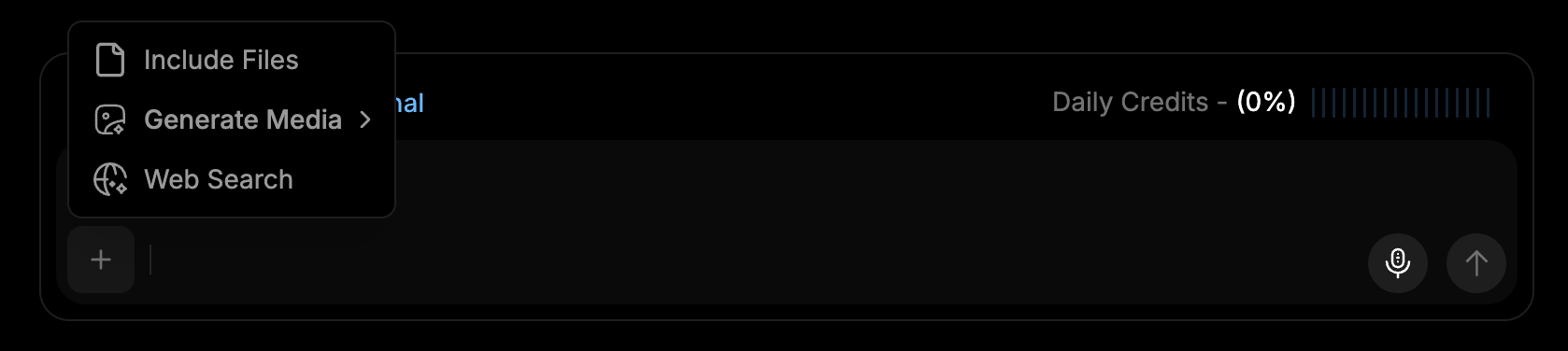
* Use the microphone icon to record voice input (if preferred).
2. **Chat with Unified Chat**
* Type your question or command in the chat box at the bottom of the page.
* Use the microphone icon to record voice input (if preferred).
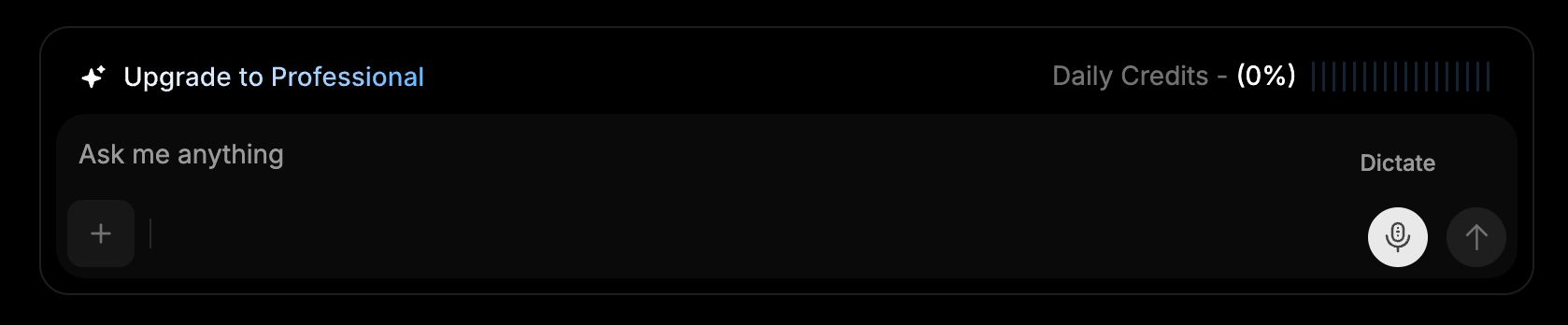
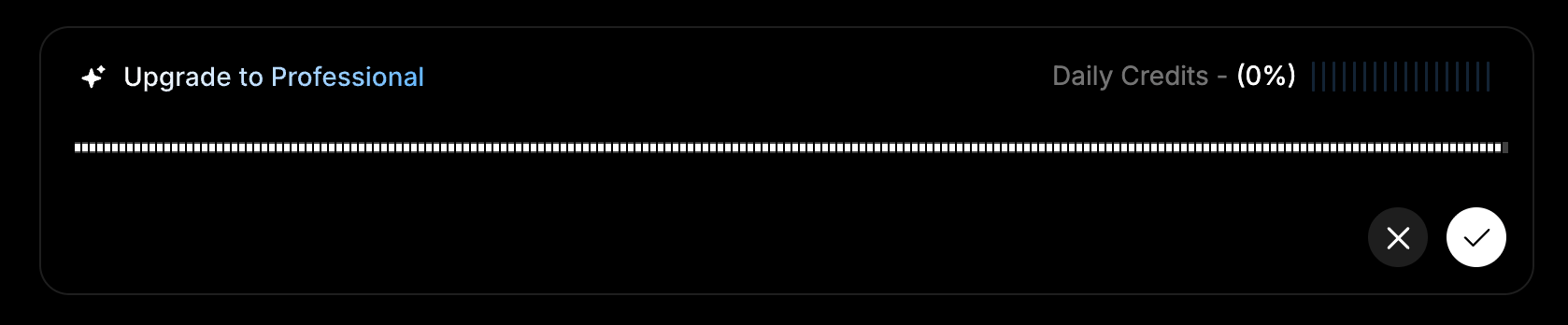 * Each interaction **consumes tokens**.
* You can also **attach additional files or images** and enable **web search** to provide more context for better answers.
* Each interaction **consumes tokens**.
* You can also **attach additional files or images** and enable **web search** to provide more context for better answers.
 3. **Generate Creative Outputs**
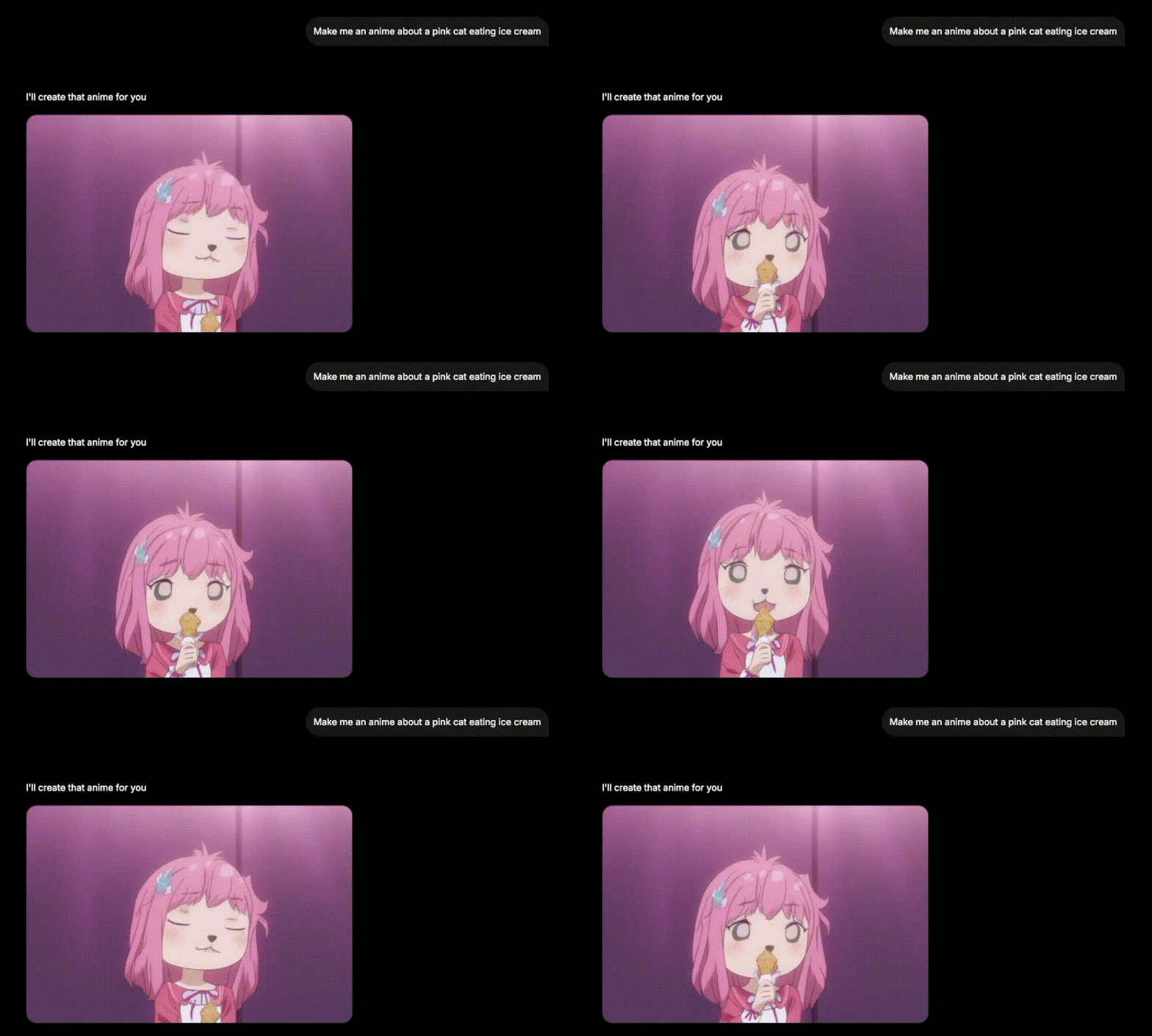
* Unified Chat can generate **creative outputs** such as **images, short videos, or anime clips** directly from your prompt.
3. **Generate Creative Outputs**
* Unified Chat can generate **creative outputs** such as **images, short videos, or anime clips** directly from your prompt.
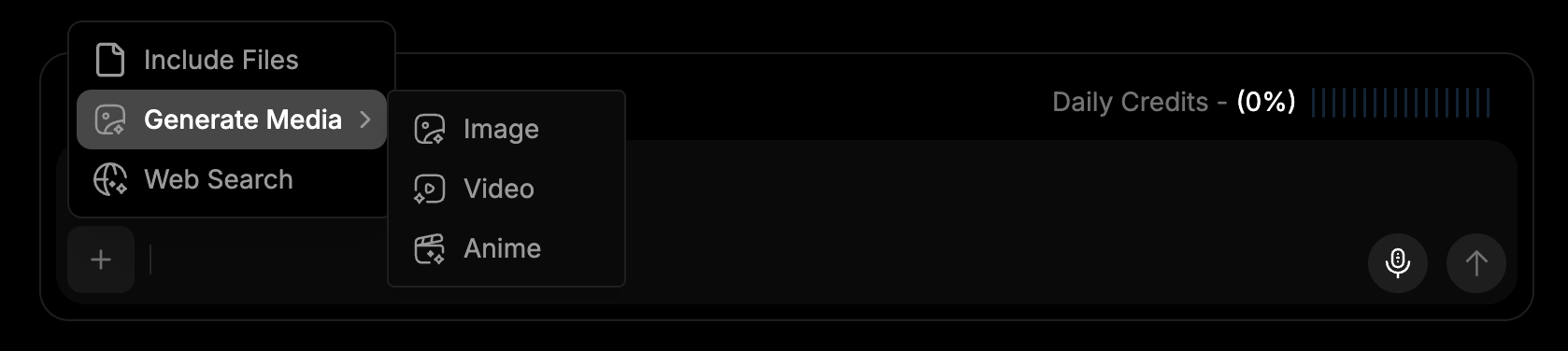 * Choose the desired output type before sending your prompt, or simply describe what you want in the chat.
**Short video example:**
* Choose the desired output type before sending your prompt, or simply describe what you want in the chat.
**Short video example:**
 **Anime clip example:**
 ## Communicating with Unified Chat
After uploading your documents, you can interact with **Unified Chat** to explore, analyze, and retrieve information.
### How to Ask Questions
1. Enter your question or prompt in the **chat field**.
2. **Unified Chat** will search your content and generate an **accurate, well-grounded response**.
### What Each Response Includes
* **Clear, concise answer** — directly addressing your query.
* **Reasoning breakdown** — explaining how the system reached the conclusion.
* **Tools or agents used** — showing any additional AI functions applied.
* **References to source files** — linking to your uploaded or connected content for traceability.
## Communicating with Unified Chat
After uploading your documents, you can interact with **Unified Chat** to explore, analyze, and retrieve information.
### How to Ask Questions
1. Enter your question or prompt in the **chat field**.
2. **Unified Chat** will search your content and generate an **accurate, well-grounded response**.
### What Each Response Includes
* **Clear, concise answer** — directly addressing your query.
* **Reasoning breakdown** — explaining how the system reached the conclusion.
* **Tools or agents used** — showing any additional AI functions applied.
* **References to source files** — linking to your uploaded or connected content for traceability.
 ### Example Use Cases
* Research paper analysis
* Enterprise document summarization
* Legal document Q\&A
* Media file transcription and interpretation
* Knowledge management for teams
## IO Credits and Token Management
Each chat interaction consumes tokens, which are **automatically refreshed daily**. If you reach the daily token limit of your plan and need additional usage, you can purchase **IO Credits** to continue without interruption:
When your daily quota limit is reached, the system will automatically switch to consuming your available **IO Credits** for continued usage — this applies across all subscription tiers.
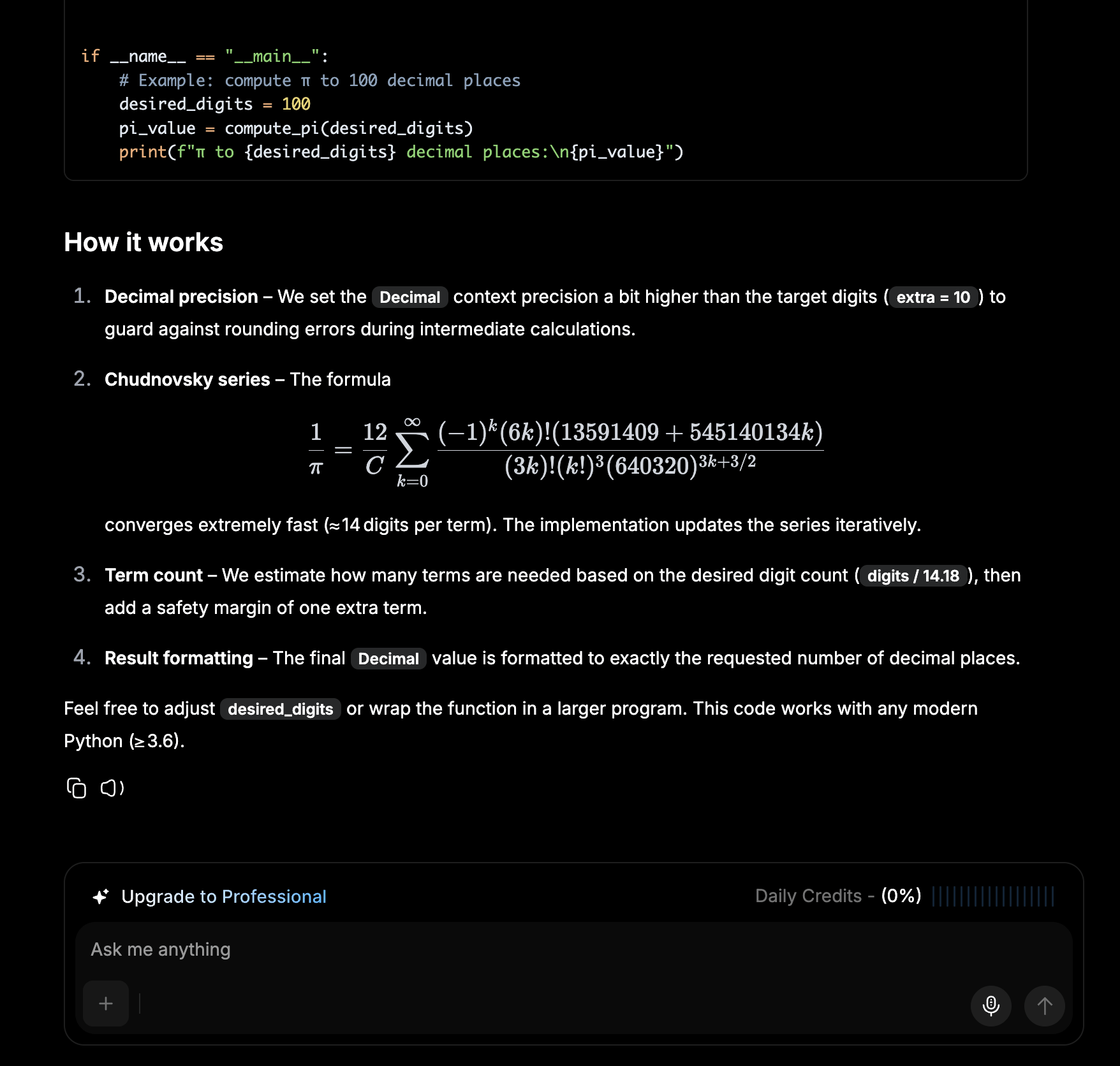
1. Click **Buy IO Credits** or **Upgrade to Professional** to continue when you run out of **Daily Credits**.
2. Complete your purchase to gain access to:
* **Unlimited responses and storage** — continue conversations without restrictions.
* **Advanced AI insights and automation** — unlock enhanced features and capabilities.
* **Dedicated account management** — receive personalized support when needed.
### Example Use Cases
* Research paper analysis
* Enterprise document summarization
* Legal document Q\&A
* Media file transcription and interpretation
* Knowledge management for teams
## IO Credits and Token Management
Each chat interaction consumes tokens, which are **automatically refreshed daily**. If you reach the daily token limit of your plan and need additional usage, you can purchase **IO Credits** to continue without interruption:
When your daily quota limit is reached, the system will automatically switch to consuming your available **IO Credits** for continued usage — this applies across all subscription tiers.
1. Click **Buy IO Credits** or **Upgrade to Professional** to continue when you run out of **Daily Credits**.
2. Complete your purchase to gain access to:
* **Unlimited responses and storage** — continue conversations without restrictions.
* **Advanced AI insights and automation** — unlock enhanced features and capabilities.
* **Dedicated account management** — receive personalized support when needed.